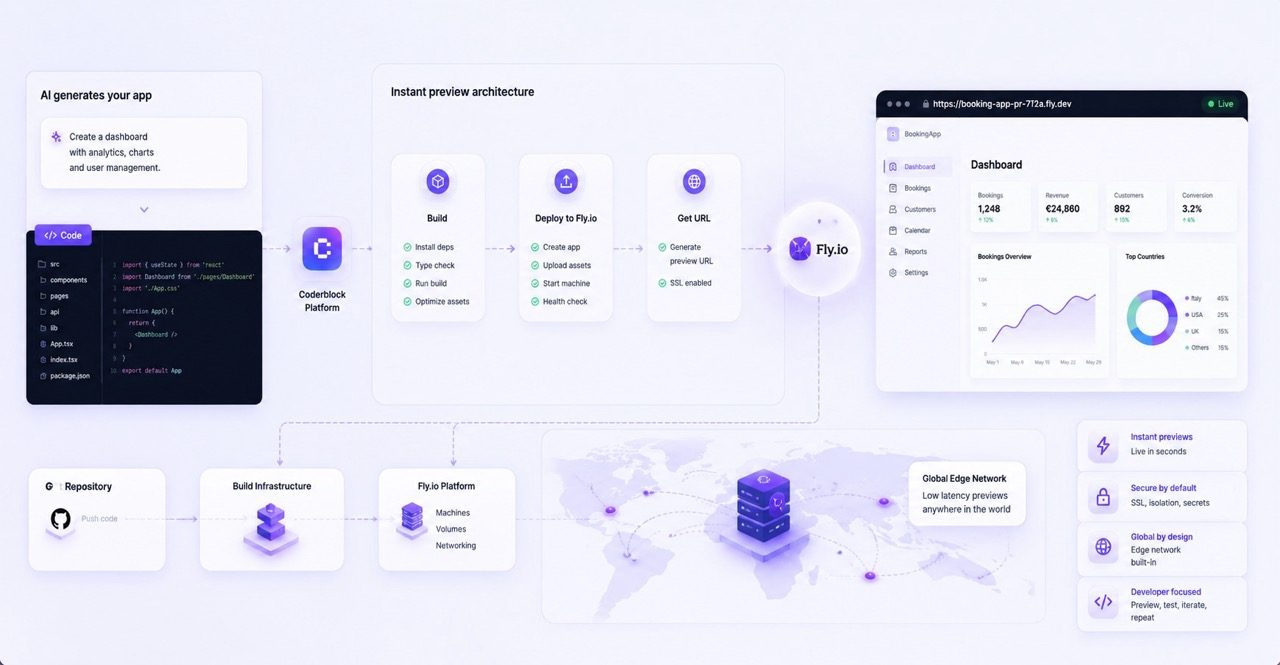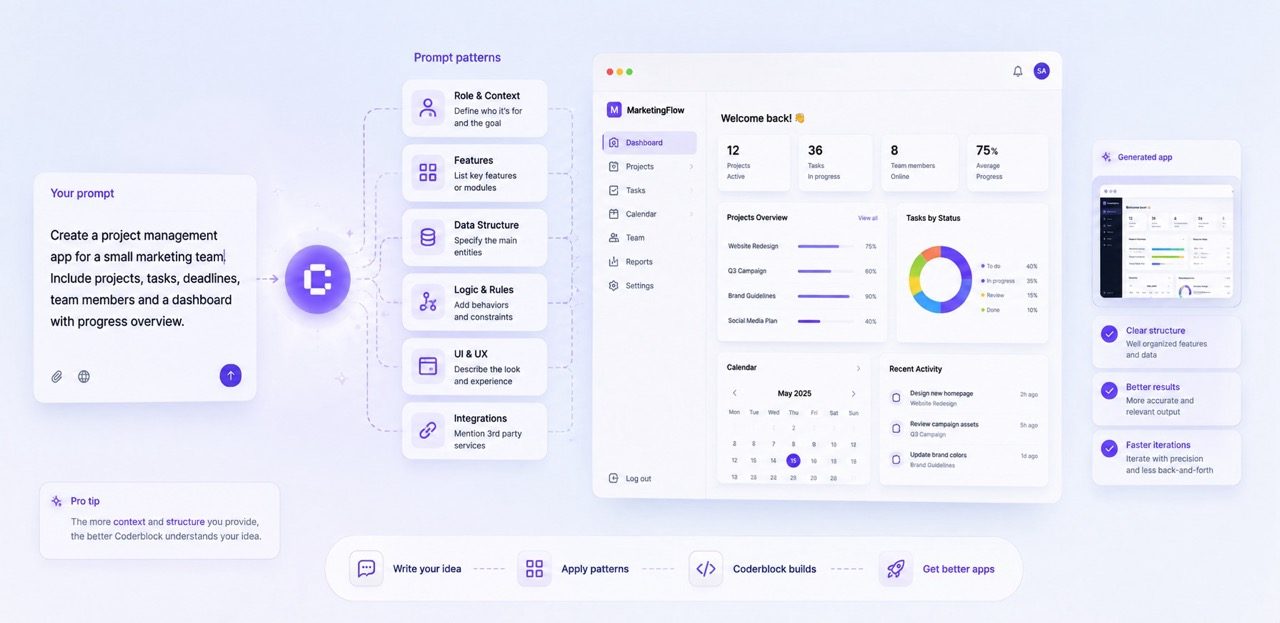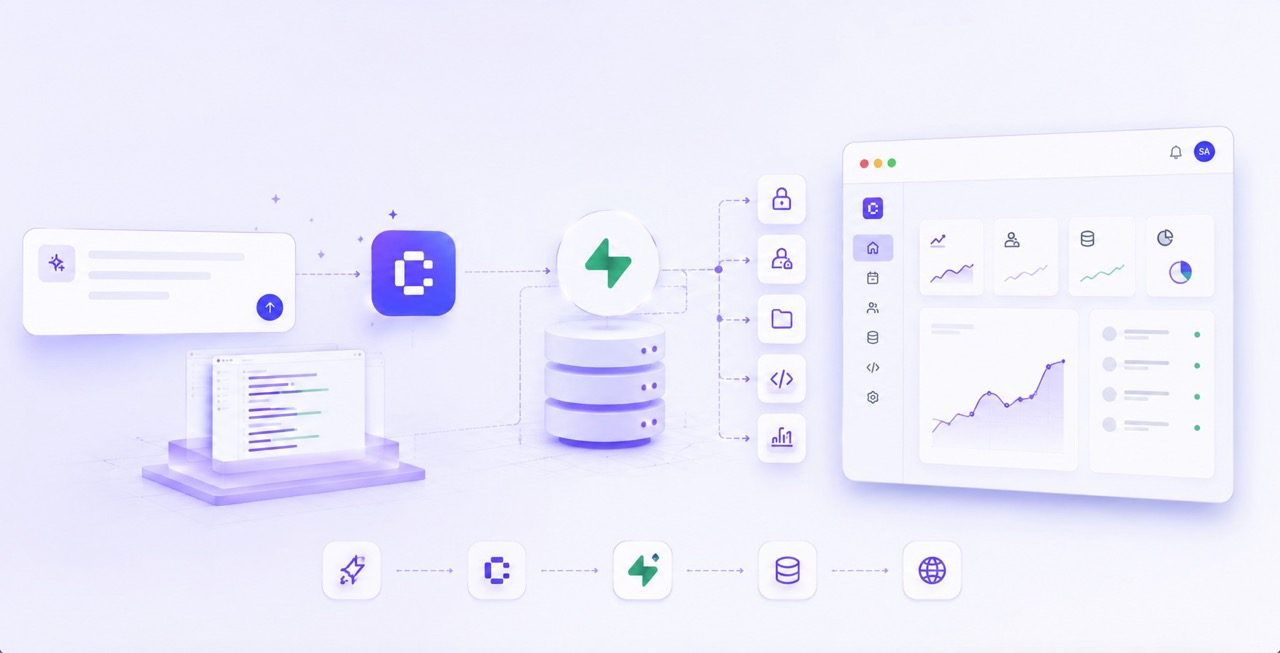
Coderblock uses a dedicated Supabase project for every standard web app, providing a real Postgres database, authentication, storage, security policies, and server-side functions. Here’s why this foundation is a perfect fit for a chat-first approach to software development.
Building a great interface is only the beginning. As soon as an app needs to manage accounts, persistent data, files, permissions, or payments, it needs more than a frontend: it needs a backend capable of supporting a real product.
That’s where Supabase comes in as the default backend for standard Coderblock web apps. When you describe an app in natural language, Coderblock doesn’t just generate a mockup with temporary data. It builds a real full-stack application: a frontend based on React, Vite, TypeScript, and Tailwind CSS connected to a dedicated Supabase project.
The idea is simple: the same request that changes the interface can also change what’s behind it.
Add sign-up? Authentication is configured. Add a new entity? The database structure can be updated. Add file uploads? Storage comes into play. Add a restricted feature? The relevant permissions are defined too.
The result is a backend that grows alongside the app instead of being a separate component you have to configure later.
One backend foundation for the entire app

A web product can quickly require many different backend services. A booking platform needs customers, availability, reservations, and admin roles. An e-commerce app has to manage products, carts, orders, images, and payments. A dashboard may need to display different data depending on the authenticated user.
Supabase brings all these components together in a single backend:
- Postgres for structured application data
- Supabase Auth for email and social login
- Row Level Security for database-level access rules
- Storage for application files and user uploads
- Deno Edge Functions for server-side logic
With Coderblock, you don’t have to assemble these services one at a time. Every standard web app gets its own Supabase project, and the agent can work across the different layers of the stack when implementing a new request.
For example, you can write:
Add a bookings table with an admin view.
The agent can handle the database schema, connect it to the interface, configure the required permissions, and update the live preview. You don’t have to interrupt your workflow to configure APIs, migrations, or backend services manually. Most importantly, every change remains connected to the ones that came before it. The backend isn’t a collection of independent components: it evolves with the product.
Postgres makes generated apps real
Postgres is the relational database behind many of the features a web application needs to manage: profiles, products, appointments, subscriptions, messages, bookings, and more. This becomes especially important when working in natural language.
You can say:
Let customers save their favorite properties.
You don’t need to specify tables, foreign keys, or SQL queries. You’re describing a feature from a product perspective, and the agent translates that request into the data structure required to support it.
Coderblock also makes what’s happening behind the chat visible. From the editor’s Backend tab, you can view the project’s tables, authenticated users, storage, and functions. You don’t need to understand every infrastructure detail to work on the app, but you can still see that there is a real backend behind the interface.
This makes a meaningful difference compared with a basic prototype.
Data is actually saved and remains available across sessions. The preview at <app>.coderblock.dev doesn’t just show what the product might look like: it lets you test the data flows the product is built on.
Authentication and authorization work together
Login is only one part of authentication. A complete system must manage accounts and sessions, protect restricted pages, associate data with users, and prevent people from accessing information that doesn’t belong to them.
When you ask Coderblock to “add login and user accounts,” the agent can integrate Supabase Auth across the entire application: sign-up, login, session management, protected routes, and Row Level Security tied to the authenticated user. You can also add social login when needed. Every app already includes a profiles table and a basic structure for role management. This makes it easier for the agent to build different experiences for customers, members, contributors, or administrators. And you don’t have to build custom password or authentication systems manually.
Supabase Auth manages identity. Row Level Security defines which data each user can view or modify. This is a crucial distinction. Hiding a button in the frontend doesn’t prevent a user from accessing the data behind that button. A database-level policy can, for example, ensure that each customer sees only their own bookings while an authorized administrator can access them all.
With Coderblock, these rules can become an integral part of the requested feature instead of a separate task to tackle after building the interface.
Files, integrations, and server-side logic without a separate stack
A real app often needs to do much more than read and write data. It may need to manage profile pictures, documents, product images, or other user-uploaded files. It may need to perform privileged operations or communicate with external services without exposing credentials in the browser.
Supabase Storage and Deno Edge Functions cover these needs within the app’s existing backend. When an integration requires a secret, Coderblock handles it through a dedicated, secure prompt for environment variables. The value is stored server-side without being added to the generated code or displayed in the regular conversation.
Stripe is a practical example. You can ask directly in the chat to add a subscription or checkout flow. In the default managed mode, the agent configures Stripe for the project after collecting some basic information, while the platform handles the payment webhook.
If you prefer to use your own Stripe account, you can choose BYOK mode. In this case, the agent securely requests the STRIPE_SECRET_KEY and configures the webhook automatically.
In both scenarios, Coderblock can create products, prices, and checkout flows, connecting the payment process to both the app’s frontend and backend. The goal is always the same: to add a complete feature, not just its visual component.
A backend that follows the app from idea to launch
Coderblock’s workflow is designed to be continuous.
Describe an app. Generate it. Try it in the live preview. Modify it. Publish it.
Changes appear at <app>.coderblock.dev within seconds, so the backend must be able to evolve alongside the interface.
That’s the advantage of having a backend integrated into the process: when you change the product, you can also change the data, permissions, and logic supporting it without rebuilding the infrastructure manually with every iteration.
When the app is ready, you can publish it to <app>.coderblock.app with one click or connect a custom domain, with SSL included.
Supabase is the default backend for standard web apps, but Coderblock uses different architectures when a project requires them. Enterprise Web Platform projects, for example, use Python and FastAPI with Neon Postgres to meet specific platform requirements.
For most web apps, however, the combination of Postgres, Auth, Row Level Security, Storage, and Edge Functions provides a complete foundation for turning an idea into a fully functional product.
The backend shouldn’t be a second project
When you build an app through a conversation, you don’t want to keep jumping from the idea to the frontend, from the frontend to the database, and from the database to the infrastructure. You want to be able to say:
“Add customer accounts.”
And then:
“Now make sure each customer can see only their own bookings.”
And then:
“Add the option to upload a profile picture.”
Each request should flow naturally into the next. That’s the role of the backend in Coderblock: not to be a separate system you configure after building the interface, but the part of the app that grows alongside your idea. The result is a full-stack app you can generate, test, and continue developing through the same conversational interface.