Coderblock turns a natural-language request into a live full-stack application accessible through a dedicated preview URL. Here’s how chat, generated code, backend services, secrets, and publishing boundaries work together—without obscuring the crucial distinction between preview and production.
A useful development preview shouldn’t merely show you what an app might look like. It should let you actually use the app while you build it: navigate between pages, create an account, save data, upload files, process payments, and test backend logic.
That’s exactly what Coderblock’s instant preview does.
After you describe an application—or start from one of the available templates—the project becomes available at a dedicated address. Every subsequent change appears in the preview within seconds thanks to hot reload.
From the user’s perspective, the process is simple: describe a feature and watch it take shape. Behind that simplicity, however, is an architecture that coordinates frontend code, backend services, authentication, databases, storage, secrets, and preview deployment.
Chat is the control interface
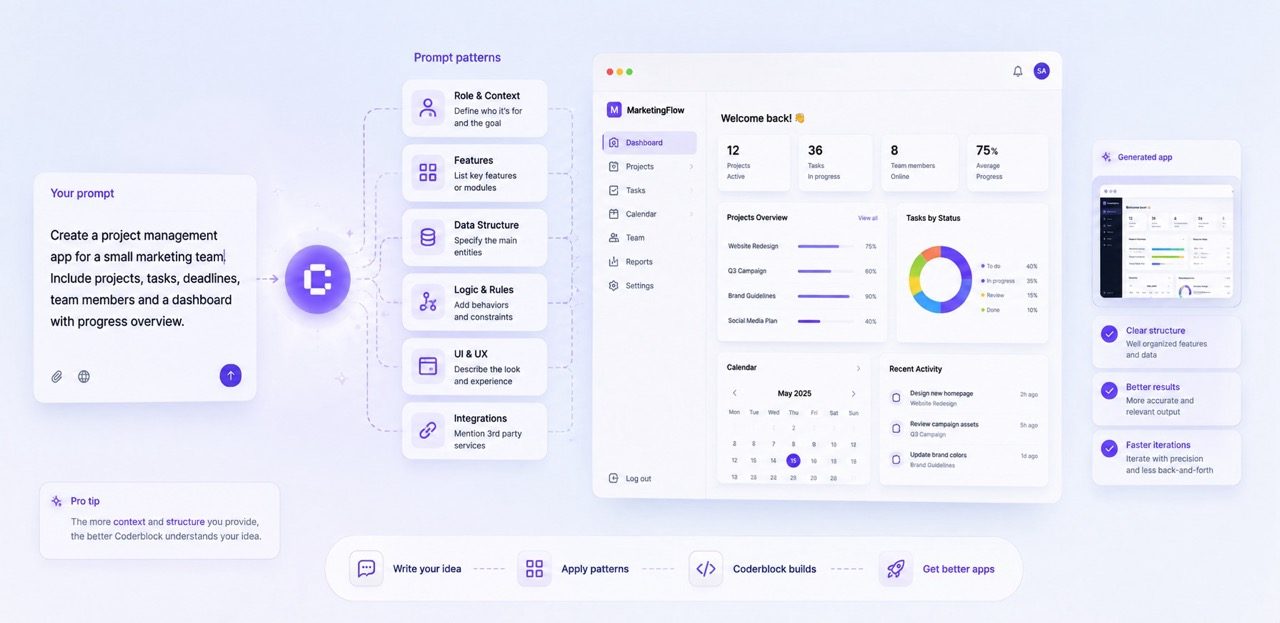
With Coderblock, chat becomes the entry point for the entire development process. You don’t have to start by configuring infrastructure, repositories, or separate frontend and backend services. Describe what you want to build in natural language, and the agent turns your idea into a working application.
For example:
- “Build a booking platform for a fitness center.”
- “Add login and let members view only their own bookings.”
- “Create an admin view with a table of bookings.”
- “Let customers pay €9.99 per month.”
- “Make the navigation bar fixed on mobile.”
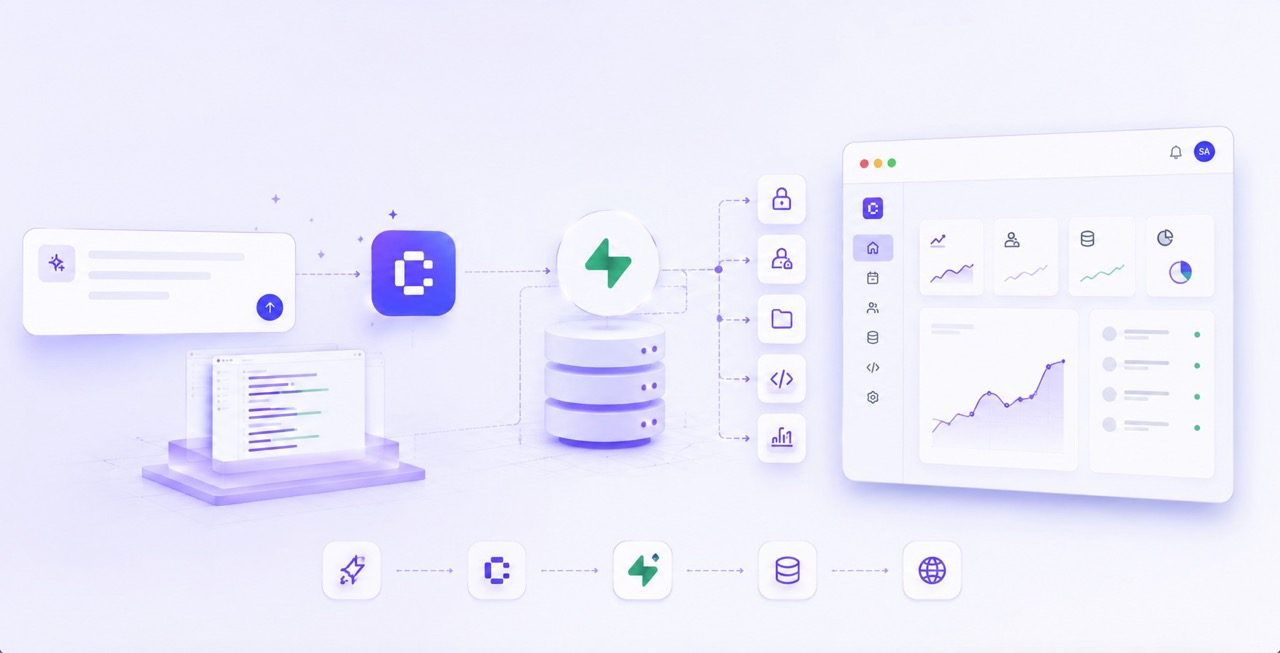
A single request can therefore result in changes across multiple layers of the stack. The generated frontend uses React, Vite, TypeScript, and Tailwind CSS. For a standard web app, the backend runs on a dedicated Supabase project with Postgres, Supabase Auth, Storage, and Deno Edge Functions.
This means the preview isn’t merely a visual representation of the prompt. It’s a real full-stack application. A form can write data to Postgres. A protected page can use the authenticated user’s session. An upload can save files to Storage. Backend logic can run through Edge Functions.
For Enterprise Web Platform projects, Coderblock instead uses a Python and FastAPI backend with Neon Postgres. The principle remains the same: describe the behavior you want, let the agent implement it, and immediately verify the result in the preview.
From request to preview with hot reload
The development cycle can be viewed as a five-step process.
1. Describe what you want to build
The request might concern a single interface detail or a feature spanning the entire system. “Change the button color” is primarily a visual change. “Add team accounts with private workspaces” is very different: it may require changes to the interface, authentication, database, permissions, and application logic.
With Coderblock, you don’t have to turn that request into a list of routes, migrations, session handlers, and access policies. Describe the outcome you want. The agent handles the details required to achieve it.
2. The app is updated end-to-end
When a feature requires it, the AI makes coordinated changes across the application’s different layers.
If persistent data is needed, it can design and run the corresponding Postgres schema migration. If authentication is required, it can connect the interface to Supabase Auth and apply Row Level Security policies based on the current user.
Every app also includes a profiles table and a basic structure for role management. This gives the agent a consistent foundation for building features such as personal dashboards, private areas, and admin views without having to reinvent the authentication system each time.
3. The backend remains part of the app
A fast preview is only truly useful if everything behind the interface continues to work. That’s why Coderblock keeps the app connected to its database, authentication, storage, and backend functions. From the Backend tab, you can view the project’s tables, authenticated users, storage, and available functions.
The advantage is that every iteration builds on the previous one.
Adding a table doesn’t mean creating a temporary simulation—it means changing the app’s data model. The next request can then build on that same structure to add filters, dashboards, relationships, or permissions.
4. The preview updates in real time
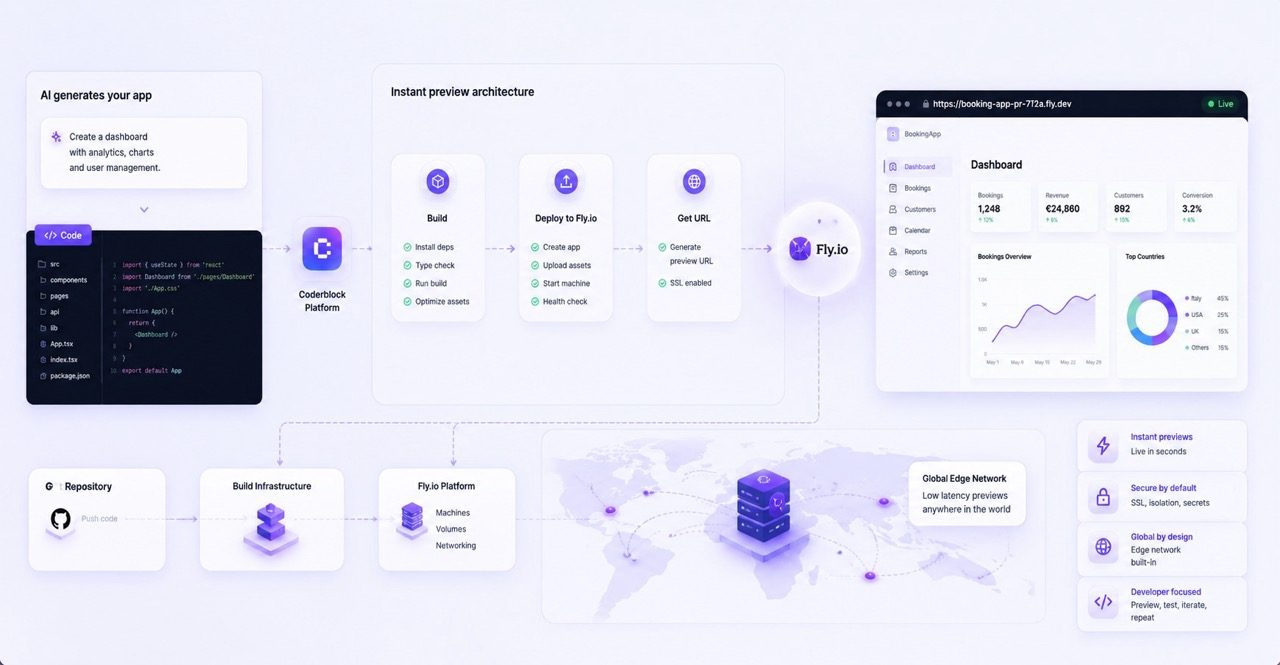
The project is deployed to its dedicated preview address at <app>.coderblock.dev. When the app changes, hot reload quickly deploys the updates and makes them visible in the running environment.
The point isn’t just speed. It’s continuity throughout the process.
You don’t have to create a new demo for every iteration or switch between environments. You can move continuously between chat, preview, and backend while always working on the same application.
The Fly.io preview layer is part of this deployment process, but the experience is straightforward: every project has an accessible development environment, updates are deployed quickly, and the preview remains connected to the app’s full-stack services.
You don’t have to configure preview servers or deployment pipelines before testing what you’ve just built.
5. Test, fix, continue
This is where the preview’s real value comes into play. You can navigate the app, check its responsive behavior, create accounts, submit forms, verify permissions, and test behavior associated with different roles.
If something doesn’t work as expected, you don’t have to return to the code to figure out what to change. You can simply describe the next adjustment.
Describe → generate → preview → test → refine
This is precisely why Coderblock’s speed comes from more than code generation alone. The entire development process stays within the same workflow.
Secrets stay out of the code
A fast development environment should never require sacrificing security.
When an integration requires a secret, Coderblock handles it through a dedicated environment-variable prompt. The value is stored in the project’s server-side secret store without being inserted into the generated code or the regular conversation.
Stripe is a good example of this approach.
In the default managed mode, the agent collects the necessary information, such as the country and business name, and creates a managed Stripe account for the project. You don’t have to manage API keys directly, and Coderblock also handles webhook configuration.
Payment setup and KYC verification can then be completed through the hosted Stripe onboarding link.
In BYOK mode, the agent securely requests STRIPE_SECRET_KEY, stores it server-side, and automatically configures the webhook.
In both cases, Coderblock can create the required Stripe products and prices, configure checkout, and connect the various components to the application. You can run tests before enabling live payments.
Preview and production are different things
Preview is for building and experimenting. Production is for publishing. They are two distinct stages, and Coderblock keeps them separate.
When the app is ready, you can select Publish to deploy it to <app>.coderblock.app. SSL is included, and subsequent releases use fast hot updates.
This prevents an experimental change made in chat from automatically becoming a production release. You can also connect a custom domain from Settings → Domains by following the instructions to configure the DNS records. Alternatively, you can purchase the domain directly through Coderblock, in which case DNS and SSL are configured automatically.
The result is a clear path:
Chat → Preview → Test → Publish
Chat drives development, the preview lets you see and test the result, the backend ensures the app is genuinely functional, and publishing brings the approved version online.
An architecture designed for iteration
The real value of an instant preview system doesn’t lie in any single infrastructure component. It lies in the entire system’s ability to keep pace with the creative process. With Coderblock, the frontend, database, authentication, storage, functions, secrets, and preview environment are all part of the same workflow. You can start with a sentence, get a working full-stack app, test it immediately, and continue changing it through conversation.
Without manually configuring servers. Without constantly switching between different tools. Without turning every change into a new deployment.
The infrastructure remains largely invisible. You can focus on what matters: building, testing, and iterating.