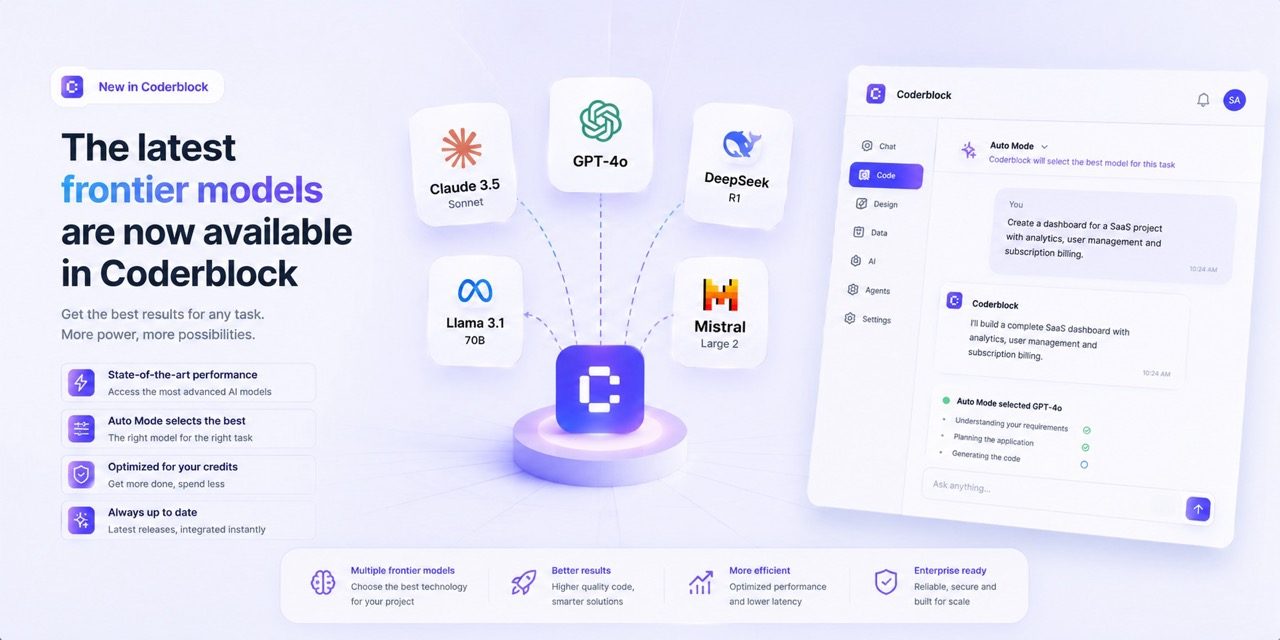
Coderblock now gives app creators access to the latest supported frontier models from Anthropic, OpenAI, and other providers. Choose a generation mode, describe what you want, and build or refine a real full-stack web app through chat.
More model choices in the same workflow
 More models. More flexibility. The same workflow.
Coderblock is expanding the generation modes available on the platform with the latest supported frontier models, giving you more choice in how you build and refine your applications.
You can now choose the best approach for each task—from generating a new app and modifying a feature to making highly targeted improvements—without leaving your project or switching tools.
Choose a model. Keep building.
The idea is simple: not every task calls for the same type of generation.
You may need stronger reasoning to structure a complex feature, more speed for a quick interface update, or a different approach to work on a specific part of your app.
With the new generation modes, Coderblock lets you choose from models by Anthropic, OpenAI, and other providers, while keeping everything in the same environment. The workflow stays the same:
- Describe what you want to build or change.
- Choose the most suitable generation mode.
- Let the AI implement your request.
- Review the result in the live preview.
- Keep iterating through chat.
There is no need to copy code between tools, rebuild your project context, or start over from scratch.
A different model, the same project
The ability to switch modes is especially useful while developing an app.
For example, you can use one mode to create the initial structure of a booking platform, then switch to another to:
- add authentication and user accounts;
- design or modify the database schema;
- improve a dashboard's design;
- optimize the mobile experience;
- add Stripe payments;
- create an admin panel;
- modify an existing feature;
- refine the user experience.
Your project and its context stay within Coderblock. Switching modes does not mean switching environments.
This also makes experimentation easier: if the first result is not what you had in mind, you can change your approach, clarify the request, and continue from where you left off.
From request to full-stack application
The new models do not work on isolated code snippets.
In Coderblock, generation takes place within an environment designed to build complete web applications. You can start with an entirely new description or use one of the product templates available on the platform. The result includes the frontend, application logic, and backend your project needs. For standard web apps, Coderblock also configures a dedicated Supabase project with Postgres, Supabase Auth, Storage, Row Level Security, and Edge Functions. This means a request such as:
“Add a booking system where each customer can see only their own appointments, while administrators can manage all of them.”
does more than generate a new screen. The agent can update the data model, access rules, and interface, connecting the different parts of the application.
More models, more ways to iterate
The real advantage of having multiple models available becomes most apparent after the first generation. Creating the first version of an app is only the beginning. The real process involves testing it, identifying what does not work, changing direction, and adding new features. With Coderblock, you can continue this process directly through the conversation:
“The dashboard works, but make it more compact on desktop and add mobile navigation.”
Or:
“Administrators should be able to change the booking status, while customers should only be able to view it.”
The AI updates the project, and the live preview quickly shows the result. The model changes. The context stays.
Agent Teams: models and specialists working together
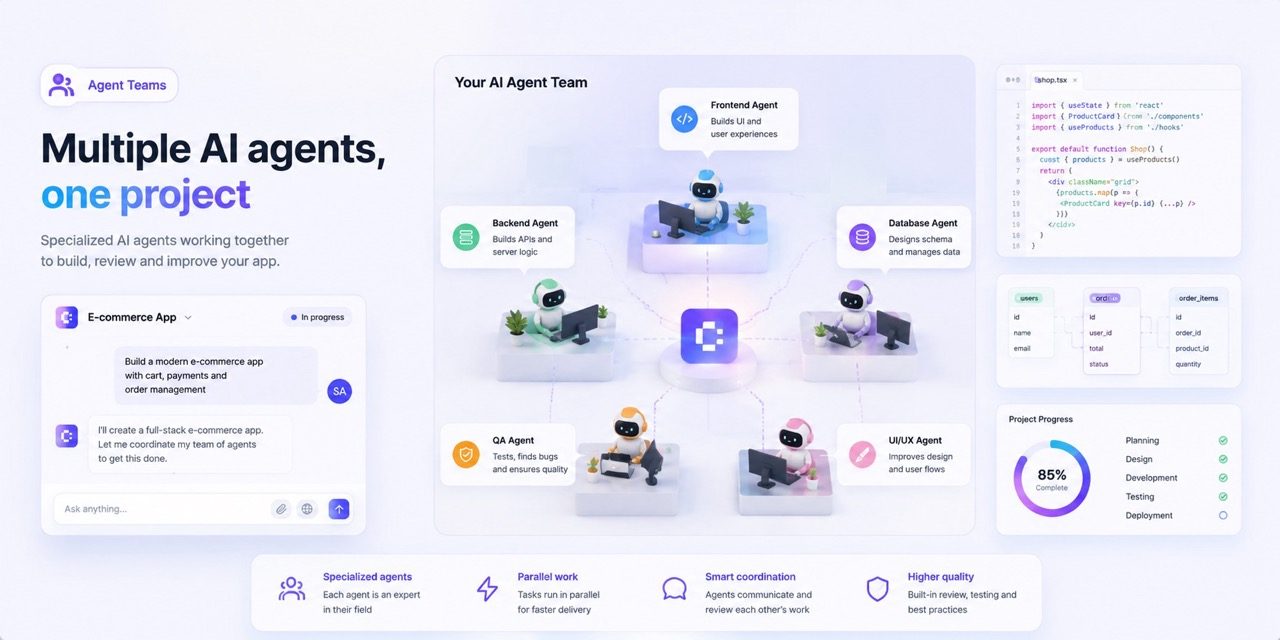
The new generation modes integrate with Coderblock's Agent Teams. Agent Teams let you work with agents specializing in different product areas, such as frontend, backend, UX, security, and marketing. The distinction matters:
- the generation mode determines which approach and model to use for a specific task;
- Agent Teams, on the other hand, bring specialized expertise into the project workflow.
This lets you approach an application from different perspectives without losing project continuity. As your app grows, this flexibility becomes particularly valuable: a database change may require architectural expertise, a new screen may need UX work, and an account feature may require permission checks.
From generation to publishing
The workflow continues beyond generation.
Every project includes a live preview that lets you test changes as you work. When your app is ready, you can publish it with one click to a coderblock.app address, with SSL included.
You can also connect a custom domain or purchase one directly through Coderblock. For teams already using external development tools, GitHub integration is also available. The goal is to follow the same principle throughout the entire process: from the first idea to publication, without interrupting your workflow.
The new models are available now
The latest supported frontier models are now available through Coderblock's generation modes. You can choose from models by Anthropic, OpenAI, and other providers, experiment with different approaches, and keep building within the same project. Start with a prompt, choose the best model for the task, and take your idea from an initial concept to a working application.