A polished interface is not necessarily a complete application. Learn what frontend and backend generation involves, how the two layers work together, and what to check when choosing an AI app builder.
A screen is not an app yet

AI app builders can turn a simple description into a working interface in minutes.
But when we say that AI has “built an app,” what does that actually mean? Not every builder generates the same kind of result. Some primarily produce the UI: pages, buttons, forms, and visual components that let you explore an idea or build a prototype. Others also generate the code needed to connect the interface to real data and external services.
A full-stack builder, however, needs to handle much more: the frontend, backend, database, authentication, authorization, and deployment. Understanding the difference between frontend and backend is therefore essential for assessing what an AI builder has actually created. More importantly, it helps you write better prompts and identify gaps before taking a project to production.
What the frontend generates
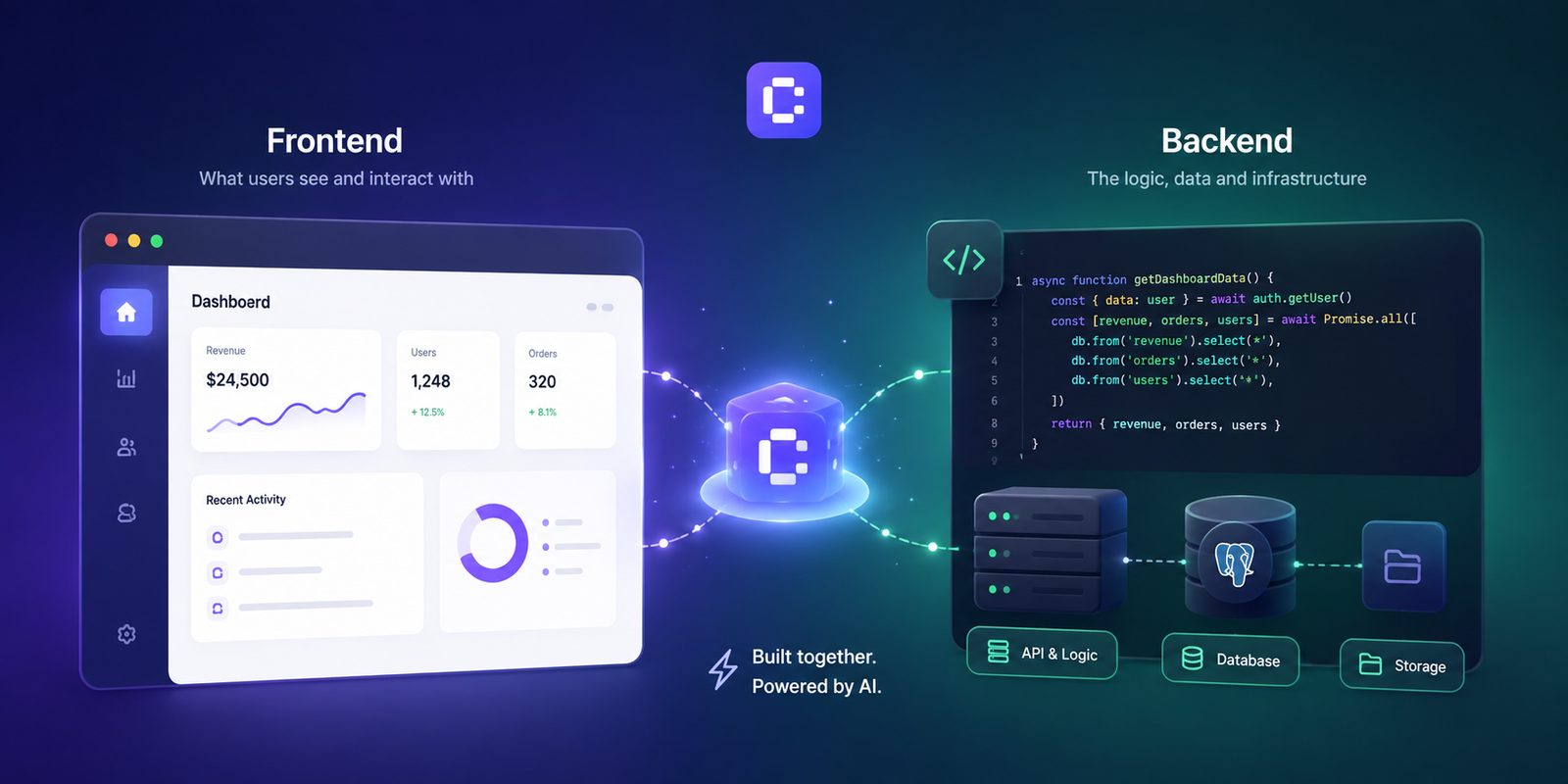
The frontend is everything users see and interact with directly in the browser.
It can include:
- pages, menus, forms, buttons, modals, and tables;
- responsive layouts for desktop and mobile;
- validation of user input;
- loading, error, success, and empty states;
- calls to backend services;
- session-related elements, such as account menus and settings;
- local interface state, such as a selected filter or an open window.
In Coderblock, generated frontends use React, Vite, TypeScript, and Tailwind CSS. Imagine, for example, asking it to create a service-booking platform. The frontend could generate the service catalog, availability calendar, booking form, customer account area, and admin dashboard.
At first glance, it might already look like a complete product. But there is an important distinction: an interface can look functional even when it is not. A button can respond to a click without saving any data. A dashboard can display information hardcoded directly into the application. A form can show a success message without actually creating a booking.
These elements are all useful in a prototype, but they do not yet amount to an application that is ready to use.
Frontend validation is not enough
Here is a simple example: a booking form might prevent users from selecting a date in the past. That is a good user experience rule, but it is not a security measure.
Rules applied in the browser can be changed or bypassed. That is why the backend must verify the request again before accepting and saving it. The same applies to prices, permissions, inventory, user roles, and subscriptions. The frontend communicates what the user wants to do. The backend decides whether that action is actually allowed.
What the backend generates
If the frontend is the visible part of an app, the backend manages the data, rules, and operations that must not depend on the browser.
A complete backend can handle:
- database tables, columns, relationships, and indexes;
- authentication and session management;
- permissions for different users and roles;
- server-side validation and business rules;
- file storage;
- integrations with payment or AI services;
- functions that use credentials and private information.
In Coderblock's standard web apps, each project receives a dedicated Supabase environment with Postgres, Supabase Auth, Storage, and Deno Edge Functions. Enterprise Web Platform projects instead use Python and FastAPI, with a Neon Postgres database.
The database is built through conversation
One advantage of an AI app builder is that you do not necessarily have to start by writing the database schema manually. You can describe what you need directly in your prompt.
For example:
“Add bookings with a customer, service, start time, status, and total price. Customers should only be able to see their own bookings, while administrators can see all of them.”
From a request like this, the agent can design the necessary tables and relationships, connect them to the interface, and configure access rules. This is where the difference between generating a UI and building a real application becomes clear: data must do more than appear on the screen. It needs structure, persistence, and rules that reflect the product's requirements.
Authentication: a login page is not enough
A page with an email field, password field, and “Sign in” button is not an authentication system by itself. Complete authentication also requires:
- session management;
- protected routes;
- authorization;
- database access controls;
- secure handling of credentials and account data.
When you ask Coderblock to add accounts and authentication, the agent configures Supabase Auth with sign-up and sign-in, email and password authentication, session management, protected routes, and Postgres Row Level Security (RLS). You can also request social login. Apps also include a dedicated profiles table and a basic structure for role management.
There is no need to create a password table manually or ask the AI to implement JWTs and hashing from scratch. Supabase Auth handles authentication, while Row Level Security defines which data each user can actually view or modify.
Frontend and backend: how they work together
To understand the difference, imagine the flow of making a booking.
- The user fills out the React form with a service, date, and time.
- The frontend checks that the entered data is valid.
- The app sends the request to the backend.
- The backend verifies the user's identity and validates the data again.
- Postgres saves the booking if the request is authorized.
- The frontend receives the response and updates the interface.
Each layer has a different responsibility. The frontend must be fast, clear, and responsive. The backend must be reliable, secure, and consistent.
What about payments?
The same principle applies. The “Checkout” button belongs to the frontend. But prices, transactions, and payment credentials cannot be handled directly in the browser. In Coderblock, you can configure payments through chat. After requesting details such as the country and business name, the agent can create a managed Stripe account without requiring the user to configure API keys manually. The platform also handles the webhook. Alternatively, you can connect your own Stripe account through a secure environment variable request.
In both cases, sensitive information remains in the project's server environment and is never placed in the frontend code or conversation.
UI generator or full-stack AI builder?
Not every project needs the same level of infrastructure.
A UI generator can be perfect for exploring a design, turning an idea into a prototype, or creating a static landing page. In these cases, you do not need to build a database, authentication, and authorization systems right away.
The situation changes when you want to create a product that manages real users and data. A full-stack AI app builder becomes especially useful when the app requires:
- persistent data;
- accounts and authentication;
- private information;
- roles and permissions;
- payments;
- file uploads;
- admin dashboards;
- integrations with external services.
To understand what you have actually generated, do not stop at asking, “Does the screen look complete?” Instead, ask yourself:
- Is there a real database?
- Is the data actually saved?
- Can users see only what they are allowed to see?
- Are sensitive operations performed on the server?
- Are private credentials protected?
- Is there a clear path from preview to production?
In Coderblock, the frontend and backend are generated together. You can view the app in real time through a dedicated development environment on coderblock.dev, while the Backend section lets you inspect tables, authenticated users, storage, and functions.
This means you can assess not only what appears on the screen, but also what makes that interface work.
How to write better prompts for an AI app builder
The quality of the result also depends on how clearly you describe the behavior you expect from the app.
Define roles and data ownership
Do not simply write:
“Create an app for managing tasks.”
Specify who uses the app and which data they can view or modify. For example:
“Members can create and edit their own tasks. Managers can view all tasks assigned to their team.”
A more precise request gives the agent the information it needs to design both the interface and the access rules.
Describe the data lifecycle
Explain what can happen to each item in the app. Can it be created? Edited? Archived? Deleted? You should also define required fields, relationships between data, status changes, and what should happen when a related record is deleted.
Consider error scenarios too
An app should not work only when everything goes according to plan. Your prompt can also specify what should happen when:
- a payment fails;
- a user does not have the required permissions;
- a request fails;
- there is no data to display;
- an operation takes time to complete.
Loading states, error messages, empty states, and success feedback are just as much a part of the product experience as the main screens.
Test behavior, not just design
Once the app has been generated, do not just look at it. Test it. Use different accounts and roles. Refresh pages and verify that the data remains saved. Try to access information that should be private. Attempt actions that a particular role should not be able to perform. And, of course, check how the app behaves on mobile.
An app is not ready when it looks complete. It is ready when its workflows actually work.
From generated stack to published product
Generating the first result is only the starting point. With the live preview, you can test the app's workflows and continue modifying it using natural language. For example, you can ask:
“Make the navigation bar sticky.”
“Add an admin table showing all bookings.”
“Prevent customers from booking a time slot that is already taken.”
You do not necessarily have to return to the code for every change. You can continue describing what you want and let the agent update the project.
When the app is ready, Coderblock lets you publish it with one click to a dedicated coderblock.app address, with SSL included.
You can also connect an existing domain through guided DNS setup or buy a domain directly through the platform, with automatic DNS and SSL configuration.
Look beyond the first screen
The best way to evaluate an AI app builder is simple: do not stop at what you can see. A polished UI matters, but it does not constitute a complete application on its own. A true full-stack result connects a usable frontend to persistent data, authentication, authorization, backend logic, secure integrations, and a clear path to production. That is the difference between generating a screen and building an app. And when you use an AI app builder, it is also one of the most important factors to consider before clicking “Publish.”